You have a key.
Here is exactly what to do with it.
No code required to get your first result. This page covers your three keys, the live playground, and the seven embeddable widgets — in the order you will use them.
Step 0
Your three keys, in plain terms
When you sign up, your account gets three key types. Each one has a different job. Start with the test key. The other two come into play when you go live.
Sandbox exploration
tri_test_…Full access to all 73 endpoints and all 9 markets. Returns real intelligence. Limited to 100 credits per month. Use this in the playground today — no risk.
Production access
tri_live_…Full access, counts against your paid plan. Generate this in the developer portal when your developer is ready to go live. Hand this key to them, not the test key.
Website embedding
tri_widget_live_…Locked to the domains you control. Safe to include in a public webpage because it only works on your approved sites and only calls widget endpoints.
What to do next
Three steps. The first two are yours.
You do not need a developer to complete steps 1 and 2. Step 3 is the handoff.
Open the API Playground
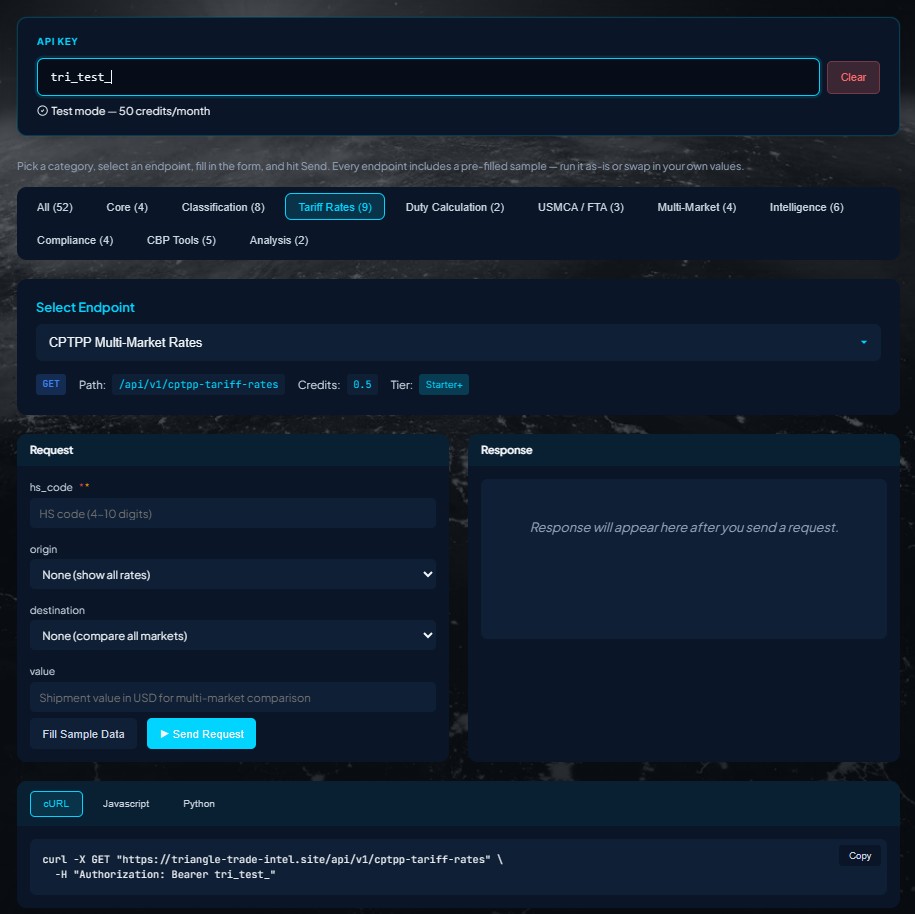
Go to triangle-trade-intel.site/api-playground. Paste your test key into the API Key field at the top.
Run a call that is relevant to your business
Use the category tabs at the top of the playground to filter to what matters to you. For USMCA corridor work, start with the USMCA Qualification Check.
Generate a Live key and hand it over
When you are ready to go live, go to your developer portal and create a Live key. Share that key and the Developer Guide with your developer. Each widget is one block of code. Most integrations take less than a day.
tri_live_65 Endpoints, all included
Where to start in the playground
All 73 endpoints are available on every plan, in every market, with your test key today. The ones below are the best starting points for most logistics and supply chain teams.
Pass in a product's component breakdown. Returns a pass or fail, Regional Value Content percentage, and the legal basis. Good first call for logistics teams.
Base MFN rate plus every active surcharge stacked per shipment. Includes Section 301, 232, Section 122, and AD/CVD. One call, one total.
Enter a product description. Returns the 8-digit HS code with GRI-based reasoning and Federal Register citations to support a CBP audit.
Calculate the annual duty savings of shifting from China to Mexico. Shows the full duty stack for each route side by side.
Compare total duty costs across all 9 markets in one call. US, Mexico, Canada, EU, Brazil, Japan, India, Vietnam, and CPTPP.
Confirm your key is active and your connection is live. Zero credits, no parameters required. A good first Send Request to verify setup.
7 Embeddable Widgets
Pre-built tools you can test right now
Widgets are pre-built tools that look like part of your website. Your developer adds one block of code and the widget appears. You can see exactly what each widget looks like before any development work — using the same test key.
Go to triangle-trade-intel.site/developer/widgets. Paste your test key. Select a widget from the tabs. The widget loads live and a ready-to-use embed code block appears on the right. You can switch between light and dark themes before you hand anything to your developer.
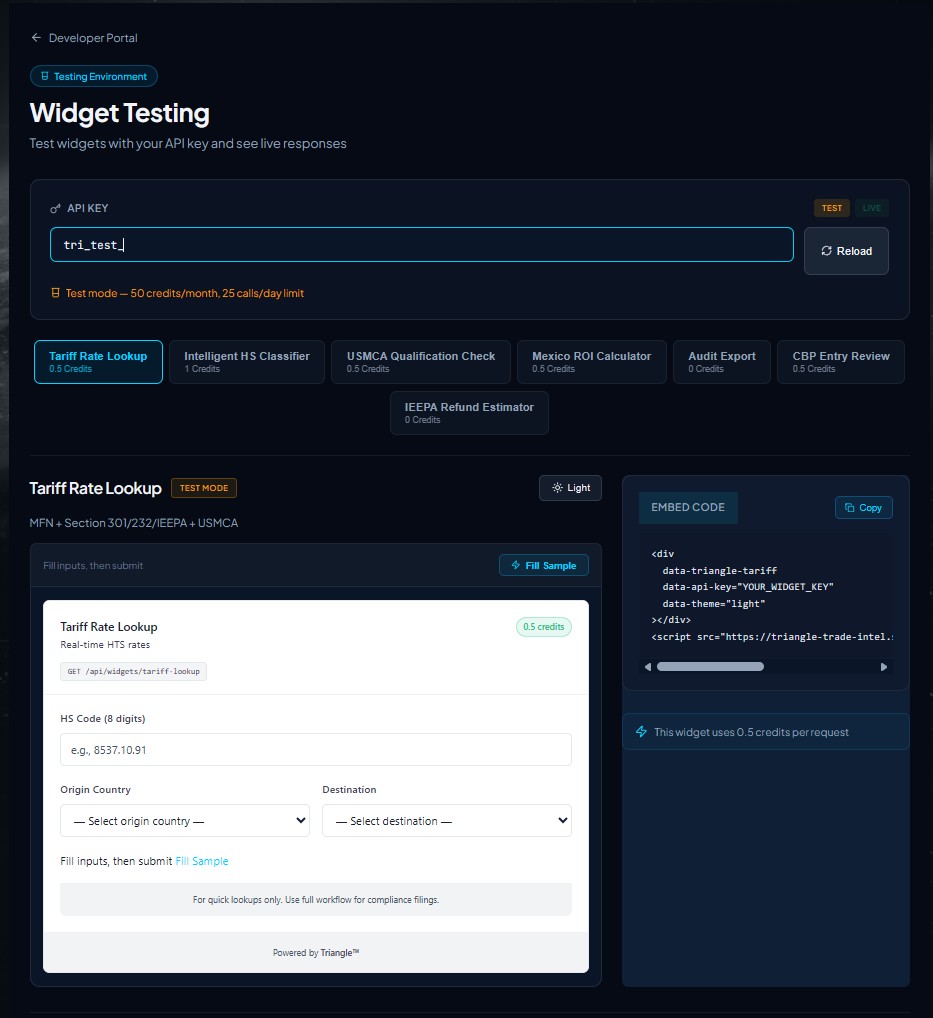
tri_widget_live_), not the live key. Widget keys are locked to your approved domains, making them safe to include in a public webpage.